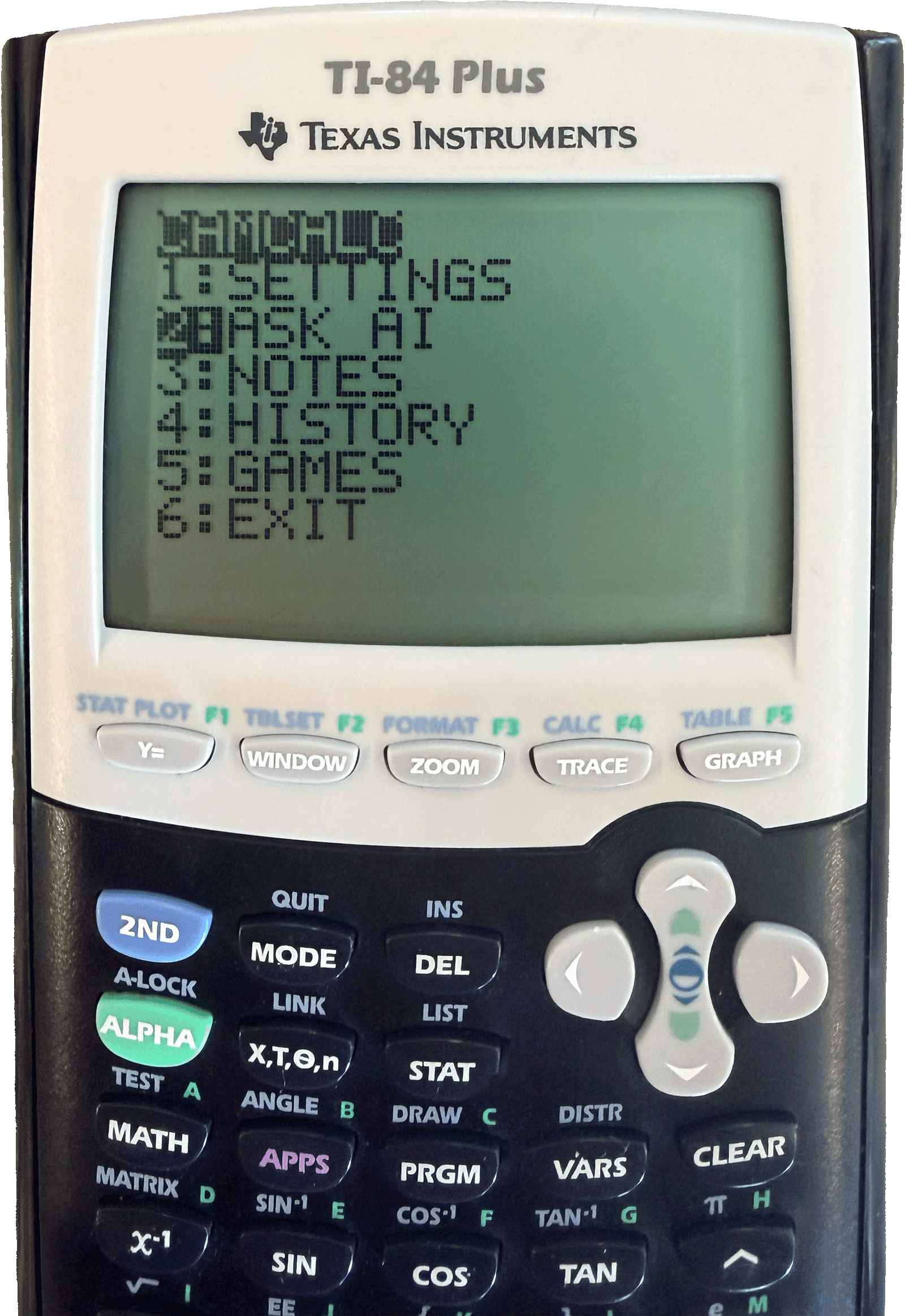
Ace your exam with CamCalc
The ultimate ChatGPT calculator
Free 2 Day Shipping
Warranty Included
Secure Checkout
Everything your calculator never had
A hardware modification that adds AI, notes, and more to your calculator.
AI Chat
Ask anything, get instant answers right on your calculator screen. Powered by ChatGPT, with instant answers for math, science, history, and more.
Math Solver
Get step-by-step visual solutions to tricky problems. Type in your question and CamCalc walks you through it in a clear, easy to follow format.
Notes
Store and retrieve notes directly on your calculator.
Games
Take a break with classic games, all running natively on your calculator.
Frequently Asked Questions
CamCalc is a hardware modification for the TI-84 Plus that upgrades your calculator with new capabilities. The internal hardware is modified to add Wi-Fi connectivity, allowing you to access AI chat, step-by-step math help, cloud notes, games, and more.
We typically ship same-day on orders placed before our daily cutoff. At checkout you choose Next Day Air (1 business day) or 2 Day Air (2 business days), and we show your estimated delivery date — including whether Saturday delivery is available — before you pay.
CamCalc connects to the internet using Wi-Fi or your phone's mobile hotspot. During the one-time setup, you'll connect it to your network, and your Wi-Fi credentials are securely saved, so you won't need to set it up again unless you switch to a different network.
CamCalc can help with virtually any type of question that ChatGPT can answer. It supports a wide range of subjects, including Algebra, Precalculus, Calculus, Chemistry, Physics, Biology, and more.
Initial setup takes less than 5 minutes and is quick and straightforward. Once you've connected CamCalc to your Wi-Fi network or phone hotspot, you won't need to set it up again unless you want to connect it to a different network.
If your calculator is reset, restoring CamCalc only takes a few seconds. Your Wi-Fi settings are saved, so you won't need to go through the setup process again.
What people are saying about CamCalc
Real reviews from students using CamCalc.
Reviews by CamCalc customers
Verified purchases are marked below
Based on 121 reviews
Ready to ace your next exam?
The calculator you'll wish you had sooner.
Get CamCalc — $159.99Free 2 day shipping · Warranty included · Secure checkout